• Welcome to the Chevereto User Community!

    Here, users from all over the world come together to learn, share, and collaborate on everything related to Chevereto. It's a place to exchange ideas, ask questions, and help improve the software.

    Please keep in mind:

    • This community is user-driven. Always be polite and respectful to others.
    • Support development by purchasing a Chevereto license, which also gives you priority support.
    • Go further by joining the Community Subscription for even faster response times and to help sustain this space

Very basic but we can't work out how to add an album

wedding

Chevereto Member
Hi,

I have spent the last 30mins trying to add an album. I am assuming it is straight forward because no on is asking this but for the life of me I can not see how to add an album.

Can't believe it would be difficult so I am assuming I am missing something really obvious.

Steve
 
Last edited:
Okay, think I've found it and it wasn't very obvious. If I am correct you first have to open the image then you have to edit the image then you have to add an album inside that image for that image. Maybe a started guide for some of the basics would be helpful.
 
There are several ways in which you can create an album.
  • After each upload the system ask you if you want to crate an album with those.
  • Image > Edit, allows you to create an album from single image
  • User profile (image listing), select some images, click on selection tool and choose "move to album".
  • User profile (image listing), click on "edit" and then you can create an album from there.
  • User profile (image listing), click on "move to album".
Main problem here is that you assume that you need to create an empty album first and that's not the case.

Cheers,
Rodolfo.
 
@Rodolfo , for what it's worth – as somebody who's here for the same reason – "Main problem here is that you assume" isn't really how good UX works. The main problem here is that the path isn't as obvious as you feel it is.
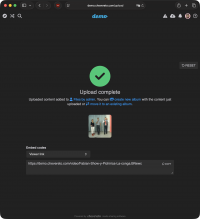
For example, I missed that there was an option to create an album when the upload completed.

Is the option there? Yep. Is it well designed as a CTA? Debatable, but depending on how open you are to alternative views, you might insist that it is.

Having missed it, I then became frustrated that I couldn't find the option in any other obvious location. Yes, I'm saying your other bullet points don't stand out as obvious locations for the option. Handy that it can be done there, for sure, but a touch ridiculous that it can't be done from, say, the albums page. "There's nothing to show here" is what we get, and it didn't occur to anybody (and apparently not again since 2017) that it might make sense to add a function or two to this page if it's not populated.

The actions menu on the Files screen is another obvious place that should host "move to album" and "create new album with selected files" options. As for now, the only option in there is "delete". Why have a menu at all?

Anyway, thanks for the answer that got me where I needed to be. I'd only ask that you not ascribe problems to the user. Solutions come from studying natural user behaviour. Desire paths, for example.
 
I agree this is very hard to discover.
Further, when I add new videos, I have the option of assigning these to existing albums, but no option to create a new album??
That's very confusing UX
It's very unintuitive to upload media (knowingly) to a wrong album and only after that be offered the option to create a new album to move them to...
 
Can't control your emotions and have to edit your personal attacks after posting them, huh? How mature.

Read my post again.
The Create new album link appears after uploading the photos, but not when first uploading.
That would be fine and make some (although not much) sense, but an album-picker is shown with no option to create an album.
The photos are forced to be uploaded to the wrong album first, if you intend to then move them to a new album.

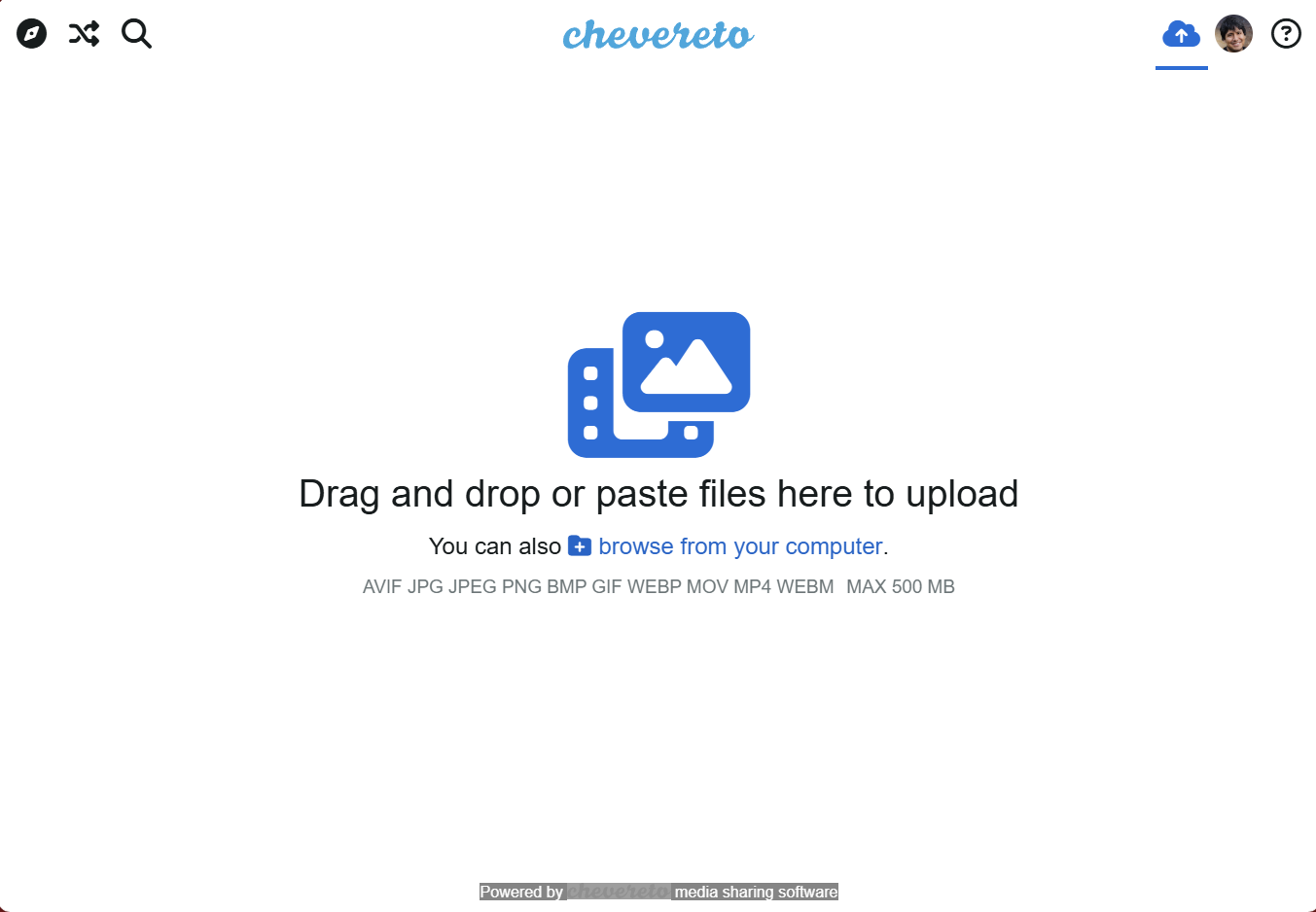
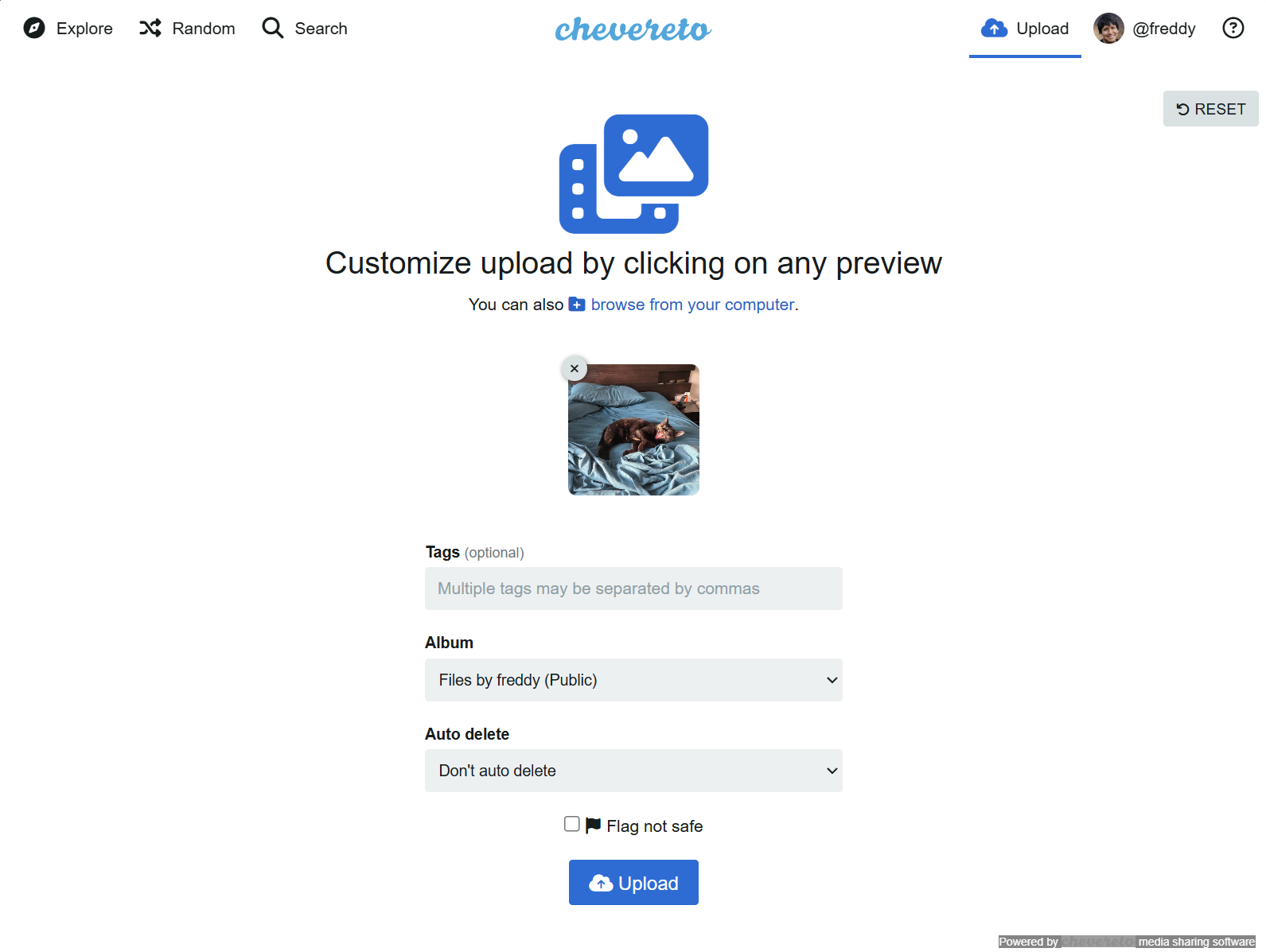
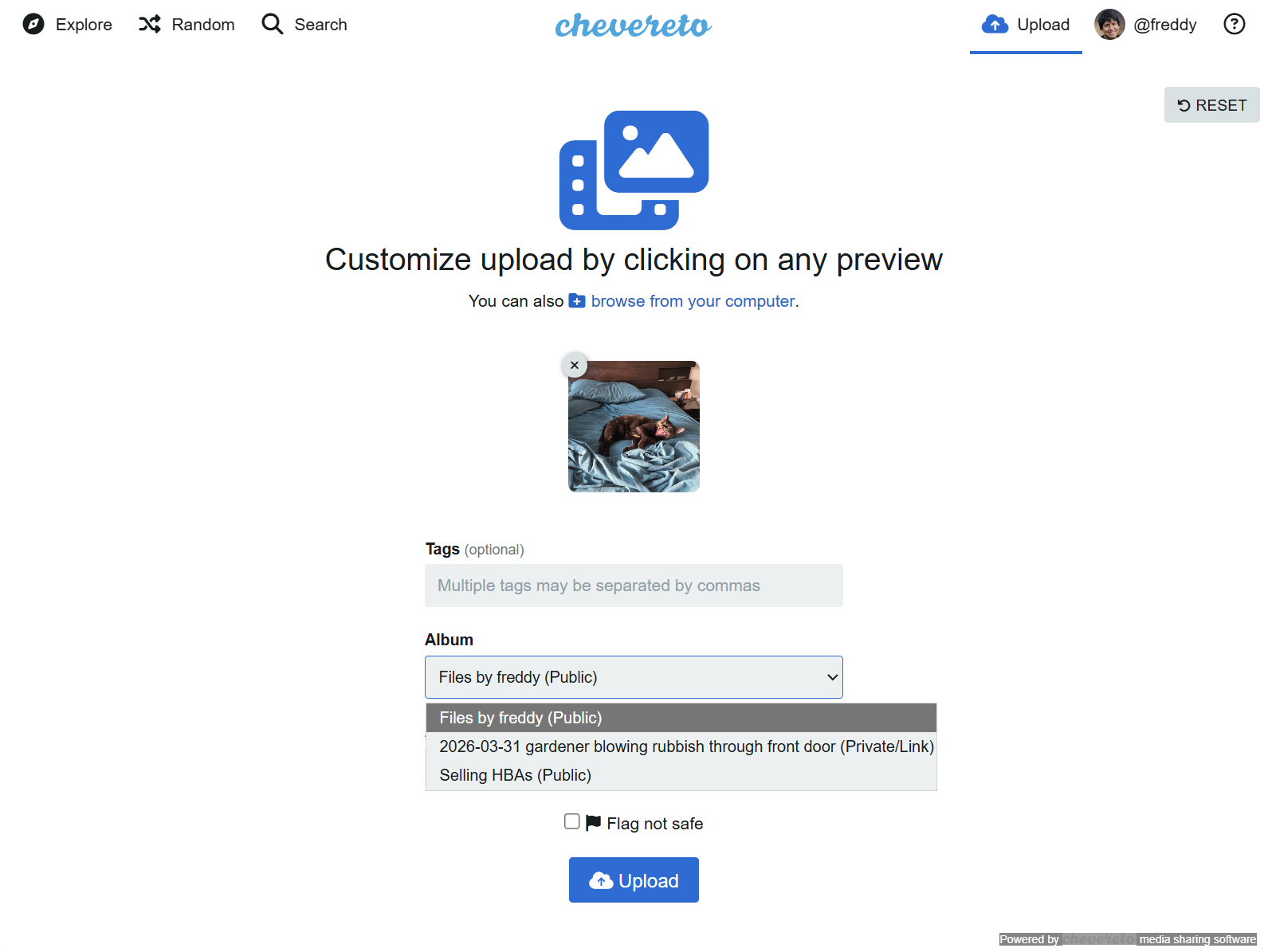
Attached the logic of media upload that occurs before your screenshot where an upload album must be chosen but no option to create a new one is provided.

1. Image upload screen
Screenshot-2026-04-03-102634.png


2. Customise uploaded images, with Album picker
Screenshot-2026-04-03-102712.png

3. Album picker options of current albums (one of which must be chosen) but no option to create new album
Screenshot-2026-04-03-102724.png


Yes, there is a way to create new albums after-the-fact but the main gist of this topic is the first-surfaced method (through image upload) unintuitively forces you to choose an existing album before given the choice to creating a new one.
When uploading and being new to this software (which is designed to be multi-user), a user would reach this and think they've done something wrong or missed a step and be confused and try and look for a way to make an album so when they upload a new photo/video they can choose the correct one.
 
The only alternative way to create an album now is by clicking on the "Create album" button on your user profile.

I think that I can fool the user friction by adding a "Create album after upload..." option, that literally doesn't anything and triggers the "create album / move to album" result view.
 
I think that would be a sufficient workaround for the current workflow as it would avoid the initial confusion and would then prompt the user to look for a "where do I define this album" in the next screen.

I appreciate your quick responses and openness to update this 🙂

Hope you're enjoying a great weekend!
 
Back
Top