👉Fill out this template accordingly with the issue you are experiencing. Add relevant files if needed. 🚧🚦Don't @mention to grab attention. Don't edit the titles of this template. Remove this paragraph when done.
🎯Description of the issue
[Describe the issue you are experiencing. Example: The system fails when trying to upload as guest.]
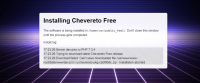
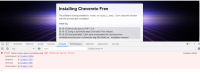
When I try made new site. I have error message, both Free or Pro versions. I tried change owners, groups, rights. I don't get result. I tried change OS - no results. When site is installed by FTP it works good. But this one has Free version and I bought Pro. Upgrade from admin panel does not work too.
▶🚶Reproduction steps
1. Clear Site Root
2. Open Site url
3. Choose Free|or Pro version
4. Information Window is opened.
5. ...and... after some seconds...
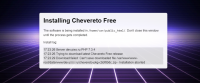
[Example: Images are not getting uploaded at all and the system throws "An error occurred, try again later".]
📃Error log message
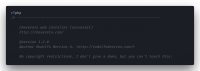
Error log file has no errors.
[Provide any relevant error log entry. You may check our documentation for help on this]
🎯Description of the issue
[Describe the issue you are experiencing. Example: The system fails when trying to upload as guest.]
When I try made new site. I have error message, both Free or Pro versions. I tried change owners, groups, rights. I don't get result. I tried change OS - no results. When site is installed by FTP it works good. But this one has Free version and I bought Pro. Upgrade from admin panel does not work too.
▶🚶Reproduction steps
1. Clear Site Root
2. Open Site url
3. Choose Free|or Pro version
4. Information Window is opened.
5. ...and... after some seconds...
- [Example: Go to Dashboard > Settings > Uploads and enable guest uploads]
- [Example: Try to upload the attached image as a guest]
[Example: Images are not getting uploaded at all and the system throws "An error occurred, try again later".]
📃Error log message
Error log file has no errors.
[Provide any relevant error log entry. You may check our documentation for help on this]