• Remember to address to the Bug Tracking guidelines and to follow the instructions in the post ticket template.
  • Welcome to the Chevereto User Community!

    Here, users from all over the world come together to learn, share, and collaborate on everything related to Chevereto. It's a place to exchange ideas, ask questions, and help improve the software.

    Please keep in mind:

    • This community is user-driven. Always be polite and respectful to others.
    • Support development by purchasing a Chevereto license, which also gives you priority support.
    • Go further by joining the Community Subscription for even faster response times and to help sustain this space
  • Chevereto Support CLST

    Support response

    Support checklist

    • Got a Something went wrong message? Read this guide and provide the actual error. Do not skip this.
    • Confirm that the server meets the System Requirements
    • Check for any available Hotfix - your issue could be already reported/fixed
    • Read documentation - It will be required to Debug and understand Errors for a faster support response

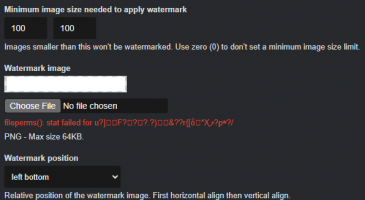
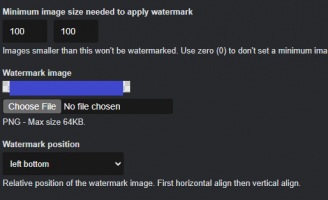
Watermarks cannot be updated or replaced and display garbled text.

Version
4.4.2
PHP version
8.2.30 / Apache2 Linux/fpm-fcgi
Database driver
MariaDB
Database version
10.6.24
Web browser
Chrome

user_0094e

Chevereto Member
After updating to 4.4.2, I want to update the watermark, but it displayed:

fileperms(): stat failed for u?]F???.?)&??r{[ȫ*Xލ?pʷ?/

Reproduction steps
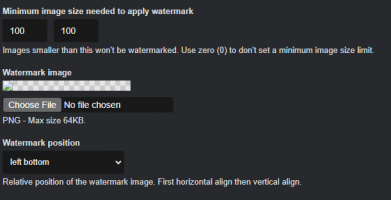
  1. Settings-watermarks
  2. Choose File : watermark.png
  3. Save Changes
  4. Upload failed
Unexpected result

  • Display:fileperms(): stat failed for u?]F???.?)&??r{[ȫ*Xލ?pʷ?/

WTM - Copy.png
 
Last edited:
Unable to reproduce. Please indicate both host system and filesystem specs.
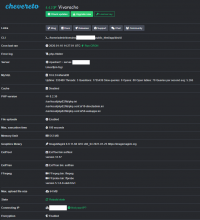
Debian 12 + DirectAdmin Panel

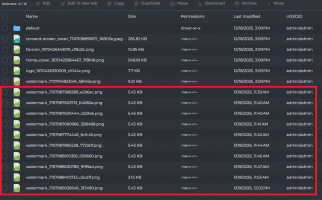
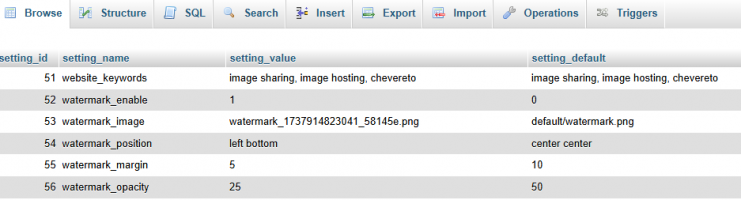
In fact, the file should have been uploaded successfully, but for some reason, the admin panel is showing errors and garbled characters, and the file is not being used or updated. I've tried many times, resulting in many uploaded files.(below image red box shows)

This problem was not present in the previous two versions; it was discovered after upgrading to version 4.4.2.

I tested the user image upload function and it worked fine; the problem only occurred when I, as an administrator, tried to modify the watermark.
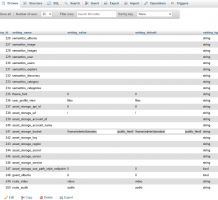
panelinfo - Copy.png

fileinfo - Copy.png
 
Last edited:
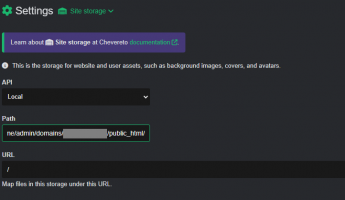
Show me the Site Storage setup.
Here is my site storage setup:

Storage Type: Local
Storage Path: /home/admin/domains/*.com/public_html/content/images
Environment: DirectAdmin(Apache 2.4.66/PHP 8.2)
Physical Permissions: All image directories are set to 755 and files to 644.

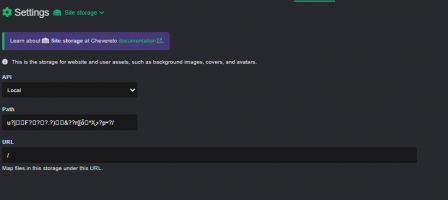
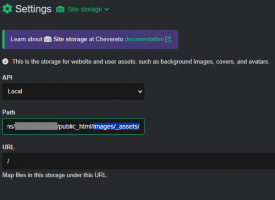
BUT...Were you actually trying to get me to look at the chevereto admin dashboard backend storage settings? I went in and checked, and found that it was also displaying garbled characters.

storageinfo - Copy.png

Strange, I haven't changed this setting recently.
 
Last edited:
Try setting the path again.

At some recent update (I don't recall exactly when) certain settings became encrypted aware, and while in most setups the thing carried the plain text to cipher migration, in some setups I'm seeing that it didn't happen.

Check the following keys for a similar conflict:
PHP:
    public const ENCRYPTED_NAMES = [
        'api_v1_key',
        'email_smtp_server',
        'email_smtp_server_password',
        'email_smtp_server_port',
        'email_smtp_server_username',
        'captcha_secret',
        'disqus_secret_key',
        'akismet_api_key',
        'moderatecontent_key',
        'asset_storage_server',
        'asset_storage_service',
        'asset_storage_account_id',
        'asset_storage_account_name',
        'asset_storage_key',
        'asset_storage_secret',
        'asset_storage_bucket',
        'arachnid_api_username',
        'arachnid_api_password',
    ];
 
Back
Top