• Welcome to the Chevereto User Community!

    Here, users from all over the world come together to learn, share, and collaborate on everything related to Chevereto. It's a place to exchange ideas, ask questions, and help improve the software.

    Please keep in mind:

    • This community is user-driven. Always be polite and respectful to others.
    • Support development by purchasing a Chevereto license, which also gives you priority support.
    • Go further by joining the Community Subscription for even faster response times and to help sustain this space
  • Chevereto Support CLST

    Support response

    Support checklist

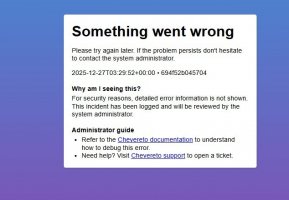
    • Got a Something went wrong message? Read this guide and provide the actual error. Do not skip this.
    • Confirm that the server meets the System Requirements
    • Check for any available Hotfix - your issue could be already reported/fixed
    • Read documentation - It will be required to Debug and understand Errors for a faster support response

The upgrade from 4.0.7 to 4.4.1 didn't work and put the website offline

Version
4.4.1
Website URL
https://lookimg.com
PHP version
8.1
Database driver
MySQL
Database version
8.x
Web browser
Chrom

Logan

Chevereto Member
Attention: No official support is provided at Community Help, this is for users helping each other. If you want official support go to chevereto.com/support
Here’s a clear and well-structured rephrasing:

I was running Chevereto v4.0.7.
Today, I downloaded v4.4.1 from chevereto.com.

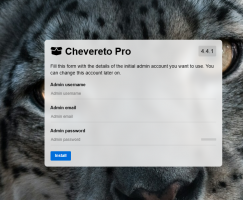
The ZIP was extracted successfully, and I also verified that env.php is present in the app directory. However, after the extraction, the application is prompting me to rerun the installation.

When I access:
domain.com/dashboard?checkUpdates
It redirects back to:
domain.com/install

If I try to proceed with the installation and enter the details, it fails with the error: “Something went wrong.”
 

Attachments

  • 1766697699189.png
    1766697699189.png
    523.9 KB · Views: 1
Hello,

The env is pointing to the wrong database, check the table prefix. It must match the table prefix in your target database.

The system prompts to install because it connected to a database but it didn't find any data (wrong table prefix).
 
I had already backed up the old env.php and restored the same file after the upgrade. I also completed all the basic troubleshooting steps before posting this.

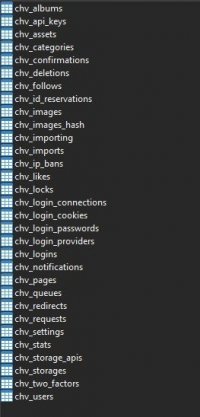
The database credentials are unchanged, and I’ve successfully verified the connection using MySQL Workbench. The table prefix is also the same (chv_).
 
Any guidance?
The whole website is down 🙁

Also, when I change the prefix to anything, it gets freshly installed in just a click, but with the existing table prefix , even when I try to install it, it shows "Something went wrong"
 

Attachments

  • Screenshot_2.jpg
    Screenshot_2.jpg
    29.6 KB · Views: 5
  • Screenshot_3.jpg
    Screenshot_3.jpg
    6.6 KB · Views: 5
  • Screenshot_4.jpg
    Screenshot_4.jpg
    42 KB · Views: 5
Last edited:
Back
Top