
-
Welcome to the Chevereto User Community!
Here, users from all over the world come together to learn, share, and collaborate on everything related to Chevereto. It's a place to exchange ideas, ask questions, and help improve the software.
Please keep in mind:
- This community is user-driven. Always be polite and respectful to others.
- Support development by purchasing a Chevereto license, which also gives you priority support.
- Go further by joining the Community Subscription for even faster response times and to help sustain this space
You are using an out of date browser. It may not display this or other websites correctly.
You should upgrade or use an alternative browser.
You should upgrade or use an alternative browser.
how put Note: Adult conten is not allowed ?
- Thread starter Jesus
- Start date


Locate what you need by doing the following:
1. Open your website and open the Browser console (F12).
2. Inspect the element that you want to change/edit
3. Locate that in the elements panel.
4. Go to app/themes/Peafowl/snippets/anywhere_upload.php and do your editing.
1. Open your website and open the Browser console (F12).
2. Inspect the element that you want to change/edit
3. Locate that in the elements panel.
4. Go to app/themes/Peafowl/snippets/anywhere_upload.php and do your editing.

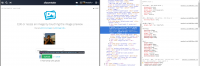
So you search for:
Code:
btn btn-big plain margin-right-5 btn-upload-privacyAnd then you delete the <button>:

This works for any code that you want to alter. It wil be easier if you have a code editor that allows you to browse inside folders like Notepad++.
Hope it helps,
Rodolfo.
Last edited: