• Welcome to the Chevereto User Community!

    Here, users from all over the world come together to learn, share, and collaborate on everything related to Chevereto. It's a place to exchange ideas, ask questions, and help improve the software.

    Please keep in mind:

    • This community is user-driven. Always be polite and respectful to others.
    • Support development by purchasing a Chevereto license, which also gives you priority support.
    • Go further by joining the Community Subscription for even faster response times and to help sustain this space
  • Chevereto Support CLST

    Support response

    Support checklist

    • Got a Something went wrong message? Read this guide and provide the actual error. Do not skip this.
    • Confirm that the server meets the System Requirements
    • Check for any available Hotfix - your issue could be already reported/fixed
    • Read documentation - It will be required to Debug and understand Errors for a faster support response

Problem saving license key to enable PRO

Version
4.4.1
PHP version
8.3
Database driver
MySQL
Database version
11.4.8-MariaDB-cll-lve-log
Web browser
Chrome,Mozilla

friv

Chevereto Member
Hello folks

I am facing with a problem when i want to paste license key in admin panel to enable pro features.
When i paste code and press "Save changes" button nothing happen.

Did somebody have a same issue?
 
Hello, thanks for reporting.

I'm inspecting why this is happening, in the meantime you can manually bind the license:

1. Create app/CHEVERETO_LICENSE_KEY.php with the following contents:

PHP:
return 'xyz_abcd1234xyzz.......';

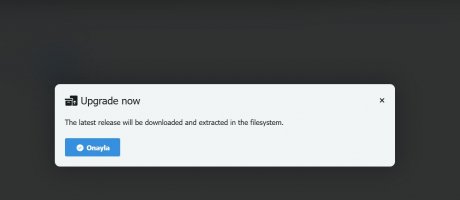
2. Go to /dashboard and click the "Upgrade now" button.
 
Hello, thanks for reporting.

I'm inspecting why this is happening, in the meantime you can manually bind the license:

1. Create app/CHEVERETO_LICENSE_KEY.php with the following contents:

PHP:
return 'xyz_abcd1234xyzz.......';

2. Go to /dashboard and click the "Upgrade now" button.
Hello rodolfo, I have same issue, and I have already tried multiple times the way you explain, but still no luck
 
I can confirm that when going from "Lite" to "Pro" there's no "Upgrade now" button (hidden). I will fix that button display on the next patch.

For now, try visiting /dashboard?upgrade as that URL triggers the process of re-downloading the app filesystem with the updated (current) license.

If that doesn't work, then the most sane course of action is to re-install the app filesystem as described here: https://v4-docs.chevereto.com/guides/cpanel/app-files.html
 
Sir, it’s not working. Reinstalling everything would be a major issue for me because it will erase all my current setup and force me to start from scratch. I have followed your documentation step by step and did everything as instructed. Is there any other solution we can try before reinstalling?
 

Attachments

  • Screenshot_1.jpg
    Screenshot_1.jpg
    28 KB · Views: 6
Hello, thanks for reporting.

I'm inspecting why this is happening, in the meantime you can manually bind the license:

1. Create app/CHEVERETO_LICENSE_KEY.php with the following contents:

PHP:
return 'xyz_abcd1234xyzz.......';

2. Go to /dashboard and click the "Upgrade now" button.
Sorry but that is not working because i have already upgrade.
So,i need to wait in next version patch to that can work.
 
No need to wait, the patch simply always display the upgrade button. You can trigger the upgrade process anytime by going to /dashboard?upgrade

Keep in mind the software can't fix himself from a wrong application filesystem permission issue, which often happens due third party installers or when you touch files using FTP or a file manager.
 
Back
Top