• Welcome to the Chevereto User Community!

    Here, users from all over the world come together to learn, share, and collaborate on everything related to Chevereto. It's a place to exchange ideas, ask questions, and help improve the software.

    Please keep in mind:

    • This community is user-driven. Always be polite and respectful to others.
    • Support development by purchasing a Chevereto license, which also gives you priority support.
    • Go further by joining the Community Subscription for even faster response times and to help sustain this space
  • Chevereto Support CLST

    Support response

    Support checklist

    • Got a Something went wrong message? Read this guide and provide the actual error. Do not skip this.
    • Confirm that the server meets the System Requirements
    • Check for any available Hotfix - your issue could be already reported/fixed
    • Read documentation - It will be required to Debug and understand Errors for a faster support response

Aw Snap! Error

pcunit

Chevereto Member
I am getting the following error as soon as the traffic increases on the site.

Aw, snap! Internal Server Error - Check your error_log or enable debug_mode = 3 (chevereto.com/docs/debug).

Can you please let me know what to do.
I am on a 4 GB ram 2 x E5 - Xeon CPUs

I had a feeling it was due to the database. I optimised it but still i get the same errors on and off.

What should be ideal php and mysql settings for a site with 50000 or more daily page views
 
Try enabling logs as the error suggests, provide the relevant log entries.
 
/var/log/messages-20200405:Apr 3 07:22:47 imgcredit kernel: Out of memory: Kill process 1258 (clamd) score 233 or sacrifice child

/var/log/messages-20200405:Apr 3 07:24:03 imgcredit kernel: Out of memory: Kill process 19049 (mysqld) score 59 or sacrifice child

/var/log/messages-20200405:Apr 3 07:24:06 imgcredit kernel: Out of memory: Kill process 19055 (mysqld) score 59 or sacrifice child

/var/log/messages-20200405:Apr 3 07:24:09 imgcredit kernel: Out of memory: Kill process 19056 (mysqld) score 59 or sacrifice child

/var/log/messages-20200405:Apr 3 07:24:11 imgcredit kernel: Out of memory: Kill process 19062 (mysqld) score 59 or sacrifice child

/var/log/messages-20200405:Apr 3 07:24:12 imgcredit kernel: Out of memory: Kill process 8207 (mysqld) score 59 or sacrifice child

/var/log/messages-20200405:Apr 3 08:19:41 imgcredit kernel: Out of memory: Kill process 8046 (clamd) score 231 or sacrifice child

/var/log/messages-20200412:Apr 7 13:50:49 imgcredit kernel: Out of memory: Kill process 1266 (clamd) score 236 or sacrifice child

/var/log/messages-20200412:Apr 7 13:50:52 imgcredit kernel: Out of memory: Kill process 1430 (mysqld) score 51 or sacrifice child

/var/log/messages-20200412:Apr 7 14:23:24 imgcredit kernel: Out of memory: Kill process 20498 (clamd) score 234 or sacrifice child
 
Following is My VPS's Mysql Settings

skip-external-locking
key_buffer_size = 16M
max_allowed_packet = 16M
table_open_cache = 64
sort_buffer_size = 512K
net_buffer_length = 8K
read_buffer_size = 256K
read_rnd_buffer_size = 512K
myisam_sort_buffer_size = 8M

innodb_use_native_aio = 0
innodb_file_per_table

max_connections=70
max_user_connections=30
wait_timeout=10
interactive_timeout=50
long_query_time=5
 
You using ClamAV, it's memory hungry and it's memory use jumps up and down all the time,
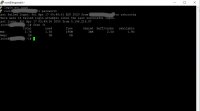
I had a simlilar problem and solved it by adding a 4 gig swap space, open a terminal and type 'free -h' (without quotes) this command will show how much memory in use and if you have a swap.
You also type 'top' to see memory use of each process.
 

Attachments

  • Swap.png
    Swap.png
    11.9 KB · Views: 6
You using ClamAV, it's memory hungry and it's memory use jumps up and down all the time,
I had a simlilar problem and solved it by adding a 4 gig swap space, open a terminal and type 'free -h' (without quotes) this command will show how much memory in use and if you have a swap.
You also type 'top' to see memory use of each process.
But would creating swap space make me loose all my existing data?

also if i stop clamAV would it help?
 
No, a new swap will only use up free space, stopping ClamAV will help but have you run free -h & top yet to see whats what?
 
I've enabled the 4 GB Swap

Seems to be working for the moment. Will watch for 24 hrs
 

Attachments

  • Untitled2a.jpg
    Untitled2a.jpg
    12.3 KB · Views: 3
can somebody suggest optimal settings for the following

Following is My VPS's Mysql Settings

skip-external-locking
key_buffer_size = 16M
max_allowed_packet = 16M
table_open_cache = 64
sort_buffer_size = 512K
net_buffer_length = 8K
read_buffer_size = 256K
read_rnd_buffer_size = 512K
myisam_sort_buffer_size = 8M

innodb_use_native_aio = 0
innodb_file_per_table

max_connections=70
max_user_connections=30
wait_timeout=10
interactive_timeout=50
long_query_time=5
 
I can't tell you if these are optimal settings, but here are my settings for 10.3.22-MariaDB-0+deb10u1 Debian 10

key_buffer_size = 128M
max_allowed_packet = 64M
table_open_cache = 2000
sort_buffer_size = 1M
net_buffer_length = 16K
read_buffer_size = 128K
read_rnd_buffer_size = 256K
myisam_sort_buffer_size = 128M

innodb_use_native_aio = ON
innodb_file_per_table = ON

max_connections=151
max_user_connections=0
wait_timeout=28800
interactive_timeout=28800
long_query_time=10.000000
 
oh mine is a 2 core processor with 4 GB ram and gets just around 50000 daily page views and still I am facing these issues.
 
Back
Top