• Welcome to the Chevereto User Community!

    Here, users from all over the world come together to learn, share, and collaborate on everything related to Chevereto. It's a place to exchange ideas, ask questions, and help improve the software.

    Please keep in mind:

    • This community is user-driven. Always be polite and respectful to others.
    • Support development by purchasing a Chevereto license, which also gives you priority support.
    • Go further by joining the Community Subscription for even faster response times and to help sustain this space
  • Chevereto Support CLST

    Support response

    Support checklist

    • Got a Something went wrong message? Read this guide and provide the actual error. Do not skip this.
    • Confirm that the server meets the System Requirements
    • Check for any available Hotfix - your issue could be already reported/fixed
    • Read documentation - It will be required to Debug and understand Errors for a faster support response

404 Error when uploading installer to my Godaddy C-Panel.

circleimages

Chevereto Member
👉Fill out this template accordingly with the issue you are experiencing. Add relevant files if needed. 🚧🚦Don't @mention to grab attention. Don't edit the titles of this template. Remove this paragraph when done.

🎯Description of the issue

[Describe the issue you are experiencing. Example: The system fails when trying to upload as guest.]

▶🚶‍Reproduction steps
  1. [Example: Go to Dashboard > Settings > Uploads and enable guest uploads]
  2. [Example: Try to upload the attached image as a guest]
😢Unexpected result

[Example: Images are not getting uploaded at all and the system throws "An error occurred, try again later".]

📃Error log message

[Provide any relevant error log entry. You may check our documentation for help on this]
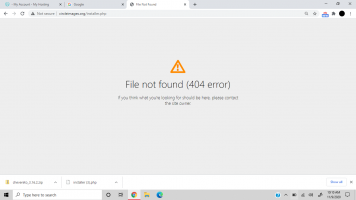
 

Attachments

  • Screenshot (17).png
    Screenshot (17).png
    64.2 KB · Views: 1
In order to install the software you must upload the installer file and have your website properly configured. Your website isn't configured, the issue is not Chevereto.

Go to your hosting and read the guide/documentation they have about how to setup a website, because it is not resolving. Either way the file isn't there, or the website is not enabled at all.
 
Back
Top