MMK
Chevereto Member
Use this template to submit your feature request. Include links, pictures, or screenshots if needed. Please post only one request per thread to help us better track and discuss each suggestion. If you have multiple requests, feel free to create separate threads for each. Remove this paragraph after completing the template.
Describe your feature request
Images to load full-width, instead of clicking on the image for it to fill the browser width. (Examples in the images below). I keep looking through all of the settings and I can't find any option to do this, unless I missed it. But I would like this as a setting so we can have our images fill the browser window on default.
Where did you see this?
Just using Cheverto
Community interest
Describe your feature request
Images to load full-width, instead of clicking on the image for it to fill the browser width. (Examples in the images below). I keep looking through all of the settings and I can't find any option to do this, unless I missed it. But I would like this as a setting so we can have our images fill the browser window on default.
Where did you see this?
Just using Cheverto
Community interest

Hey everyone,
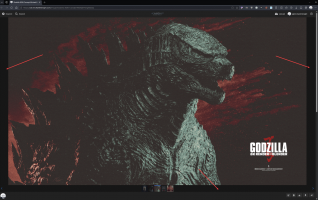
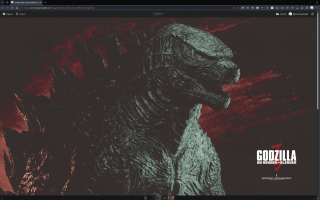
I have a quick question. I'm looking to see if there's a way for uploaded images to load full-width (Image 2), instead of clicking on the image for it to fill the browser width. (Examples in the images below). I keep looking through all of the settings and I can't find any option to do this, unless I missed it. Anyone know if this is possible? I know this may seem a trivial thing, but when you're OCD it can annoy me. Any help with this would be great.
Thank you.
Image 1. Default view (which is not what I want)
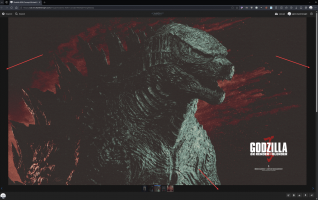
Image 2: Full width image, which is...
I have a quick question. I'm looking to see if there's a way for uploaded images to load full-width (Image 2), instead of clicking on the image for it to fill the browser width. (Examples in the images below). I keep looking through all of the settings and I can't find any option to do this, unless I missed it. Anyone know if this is possible? I know this may seem a trivial thing, but when you're OCD it can annoy me. Any help with this would be great.
Thank you.
Image 1. Default view (which is not what I want)
Image 2: Full width image, which is...
- MMK
- Replies: 2
- Forum: Community Help